
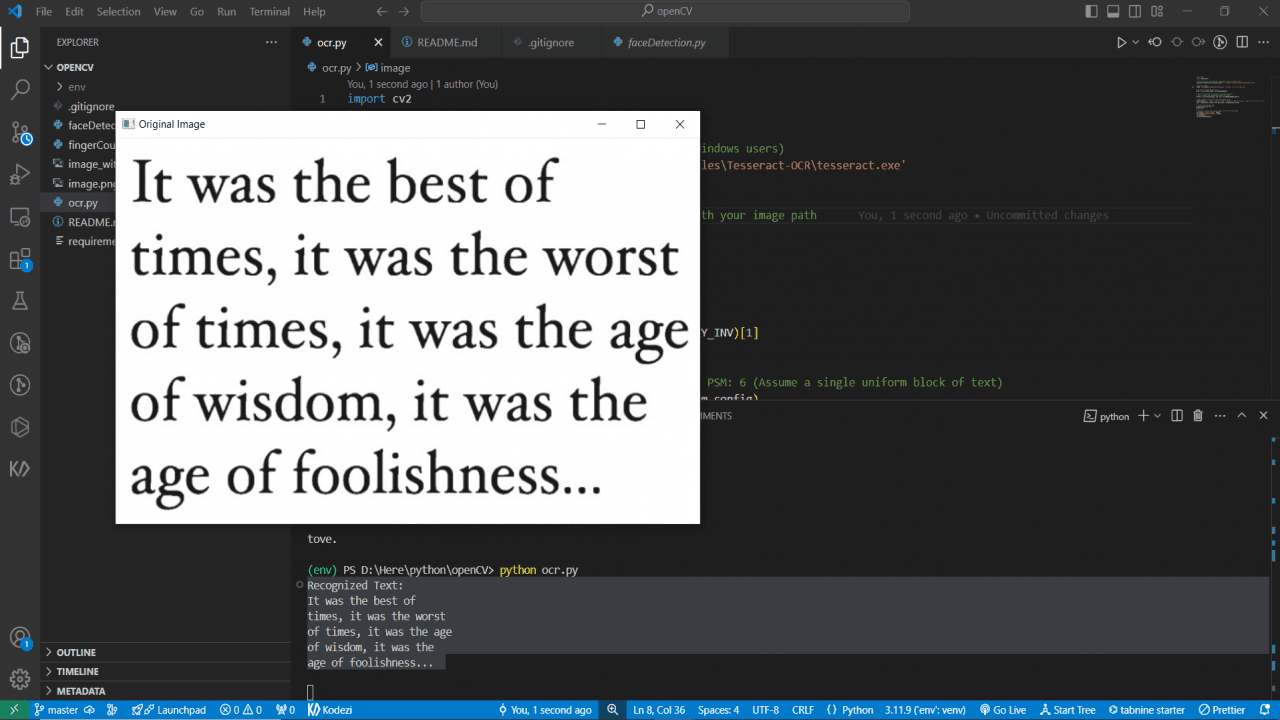
Project Description
import cv2
import pytesseract
# Set the path for the Tesseract executable (only for Windows users)
pytesseract.pytesseract.tesseract_cmd = r'C:\Program Files\Tesseract-OCR\tesseract.exe'
# Load the image
image = cv2.imread('image.png') # Replace with your image path
# Convert the image to grayscale
gray = cv2.cvtColor(image, cv2.COLOR_BGR2GRAY)
# Apply thresholding to preprocess the image (optional)
# You can adjust the thresholding method as needed
thresh = cv2.threshold(gray, 150, 255, cv2.THRESH_BINARY_INV)[1]
# Use Tesseract to do OCR on the preprocessed image
custom_config = r'--oem 3 --psm 6' # OEM: 3 (default), PSM: 6 (Assume a single uniform block of text)
text = pytesseract.image_to_string(thresh, config=custom_config)
# Print the recognized text
print("Recognized Text:")
print(text)
# Optional: Display the original image and the processed image
cv2.imshow('Original Image', image)
cv2.imshow('Processed Image', thresh)
cv2.waitKey(0)
cv2.destroyAllWindows()